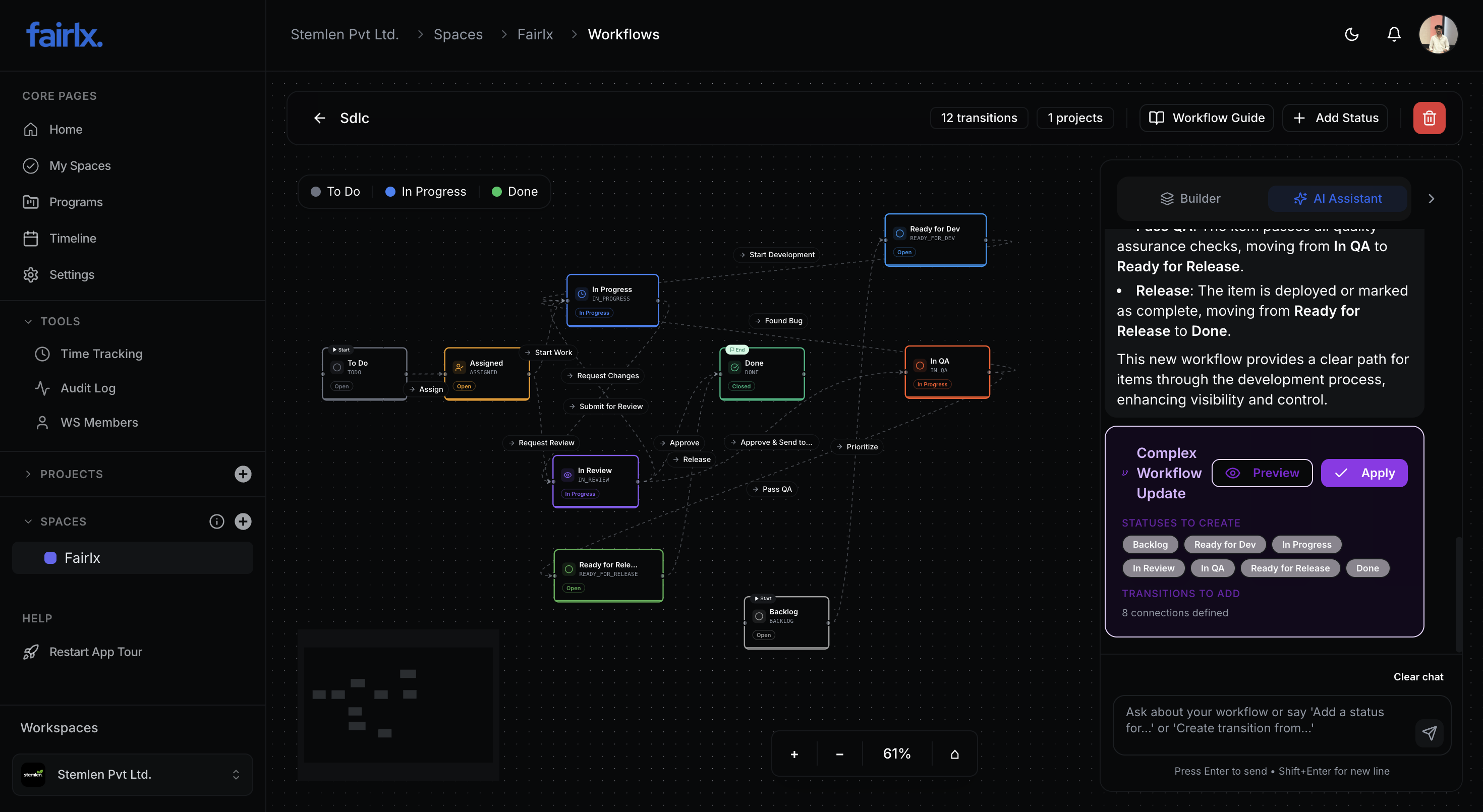
Define your own status stages
Create unlimited statuses with custom names, colors, icons, and categorization.
Status Types for Analytics
Open
Work has not started yet
In Progress
Work is actively being done
Closed
Work is complete or cancelled
Status Customization
Custom Names
Name statuses anything you want
Color Coding
Choose from a palette of colors
40+ Icons
Visual icons from Lucide library
Status Types
Categorize for accurate analytics
Ordering
Arrange statuses in logical order
Descriptions
Add guidance for each status
Control who can move work
Define rules for who can transition items between statuses and what conditions must be met.
Team-Based Access
Allow only specific teams to make certain transitions. Developers can't move to QA, only QA team can.
Role-Based Permissions
Control transitions by workspace role. Managers can bypass restrictions that developers cannot.
Approval Workflows
Require approval from specific users or teams before a transition can complete.
Validation Rules
Require fields to be filled before transitioning. No moving to "Done" without time logged.
Automatic state transitions
Set up triggers that automatically move work between statuses when conditions are met.
All Subtasks Done
When all subtasks are marked complete, automatically move the parent item to a specified status.
Approval Received
When the required approvals are granted, automatically transition to the next status.
Custom Conditions
Define custom conditions based on field values, dates, or other criteria.
Field Value Change
Trigger transitions when specific fields are updated to certain values.
Design workflows visually
A beautiful drag-and-drop editor to create and modify workflows without code.
Workflow Canvas
Editor Features
Drag & Drop Nodes
Position status nodes visually on a canvas
Draw Transitions
Connect statuses with transition lines
Zoom & Pan
Navigate large workflows easily
Node Styling
Status colors and icons visible on canvas
Transition Labels
Name transitions for clarity
Save Positions
Node positions persist for team consistency
Build workflows with AI assistance
Stop configuring statuses and transitions by hand. Just describe your process to the AI assistant and watch it build your entire workflow in seconds — with a preview before anything is applied.
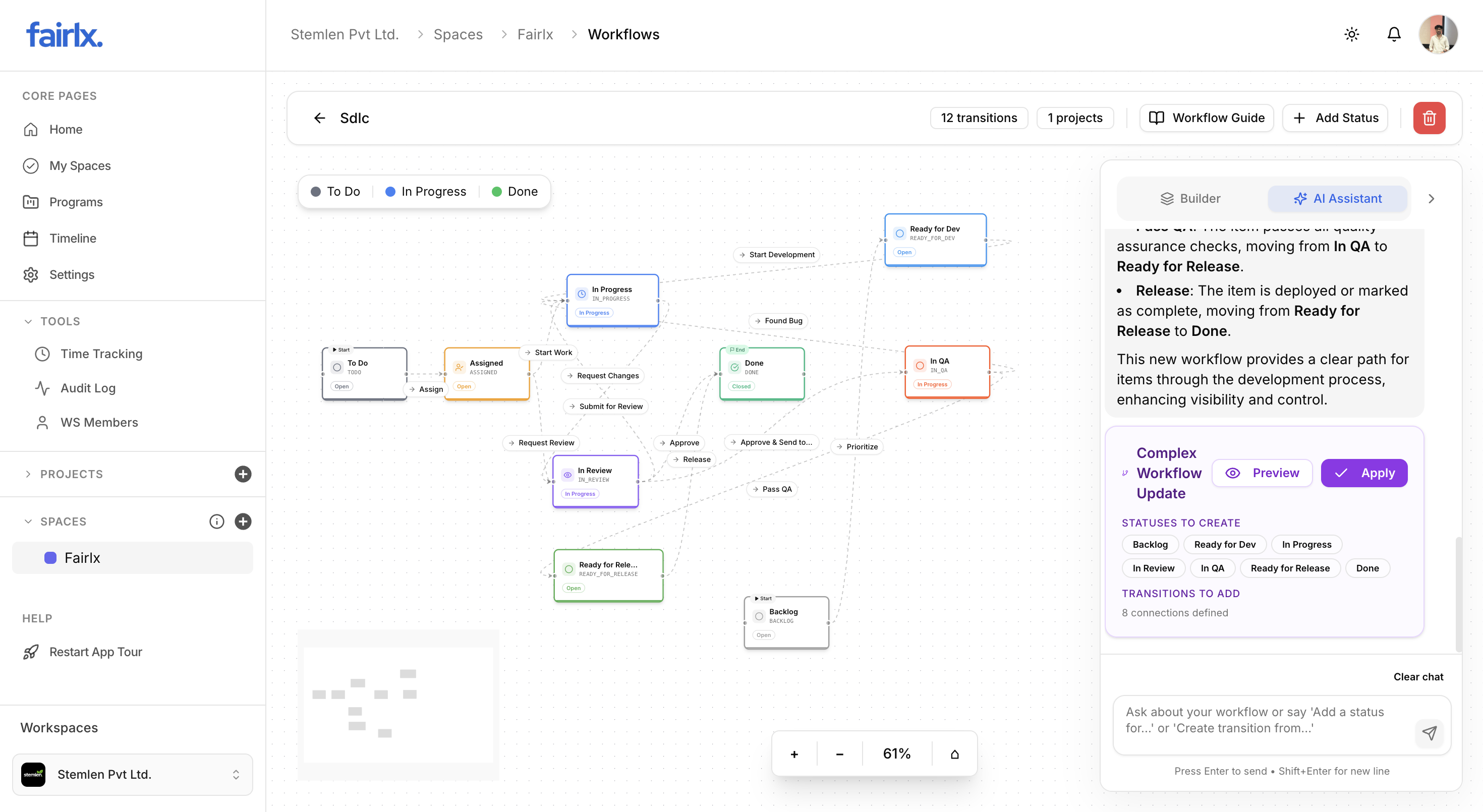
Chat to Build
Describe your process in plain language. The AI translates it into statuses, transitions, and connections instantly.
Preview Before Applying
Review exactly what will be created — statuses, transitions, connections — before committing any changes.
Smart Suggestions
AI suggests industry-standard workflows like SDLC, Scrum, or Kanban tailored to your team type.
Instant Updates
Add a status, create a transition, or restructure your entire workflow with a single message.
Workflows at every level
Define workflows at workspace, space, or project level with intelligent inheritance.
Workspace Scope
Default workflow for all projects in the workspace. Great for org-wide standards.
Best for: Organizations with consistent processes across all projects
Space Scope
Override workspace workflow for a specific space. Shared by all projects in the space.
Best for: Departments with unique processes (Engineering vs Marketing)
Project Scope
Custom workflow for a single project. Maximum flexibility for unique needs.
Best for: Special projects with unique requirements